

Reliability analysis software with a built-in CMMS
ReliaEn is reliability analysis software for industrial plants. It analyses life data, reliability block diagrams, Markov models and fault trees. It simulates reliability, availability and maintainability (RAM) and runs failure mode and effects analysis (FMEA).
ReliaEn also includes a computerised maintenance management system (CMMS). The asset register and work orders in the CMMS are the data for every analysis, so the results come from your plant’s own maintenance history.
One licence includes every module. The free trial runs for 30 days on one computer and includes every module, so you try the same product that you buy.
Three-parameter Weibull distribution
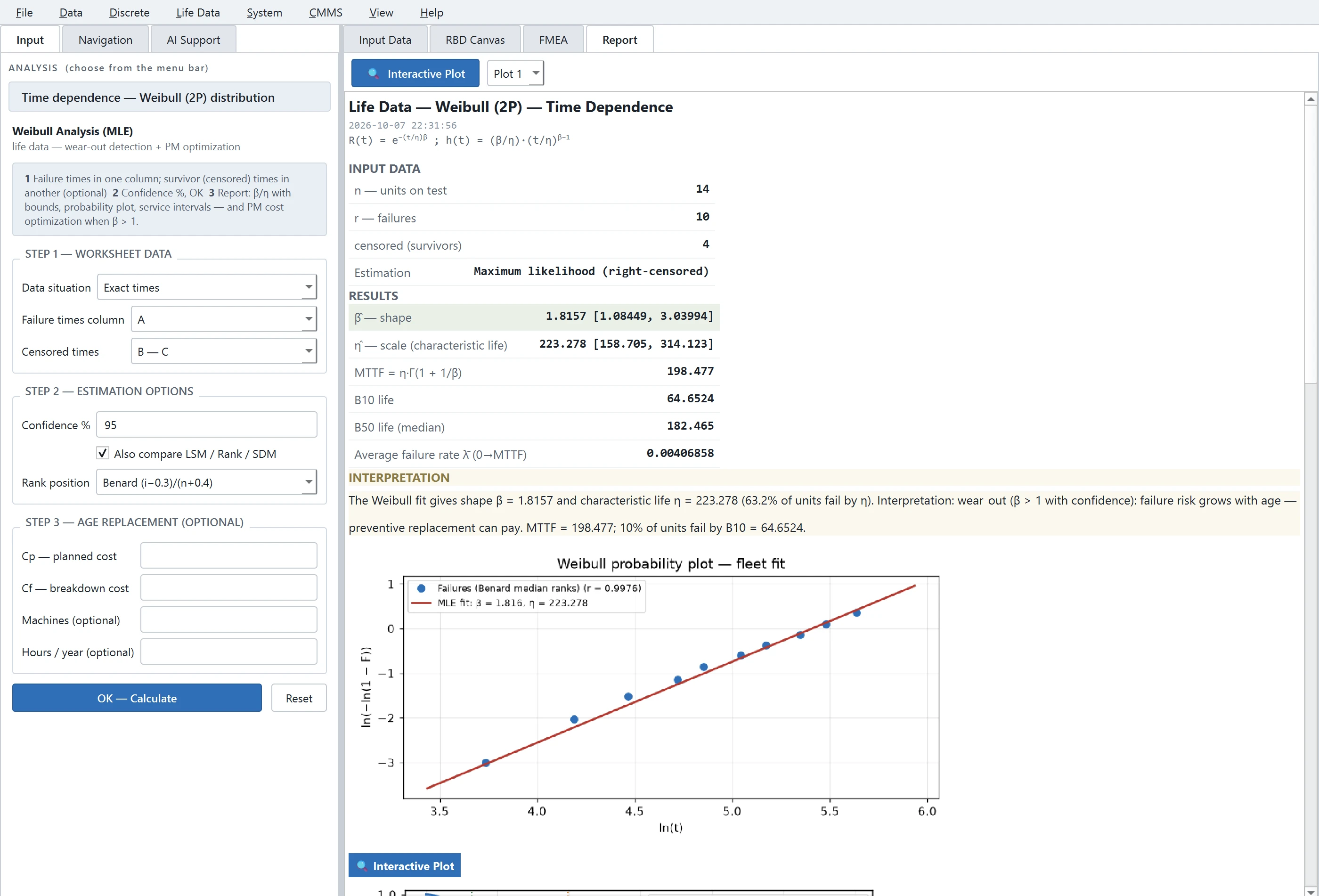
β > 1: the failure rate increases with time — wear-out
How ReliaEn works
ReliaEn is one line, and the data moves in one direction:
- Records. Your failure and repair history, from the CMMS, from worksheets or from imported files.
- Analysis. ReliaEn fits models to those records and reports reliability, availability and cost.
- Decision. ReliaEn turns each result into a maintenance interval, a spare-parts level or a maintenance strategy, and shows it beside your current value.
- Action. You approve a decision, and it becomes a PM plan, a stock level or a work order.
- New records. Each closed work order adds a failure record, and the next analysis starts from it.
The three points below show how this works in your plant.
Your work orders become reliability data
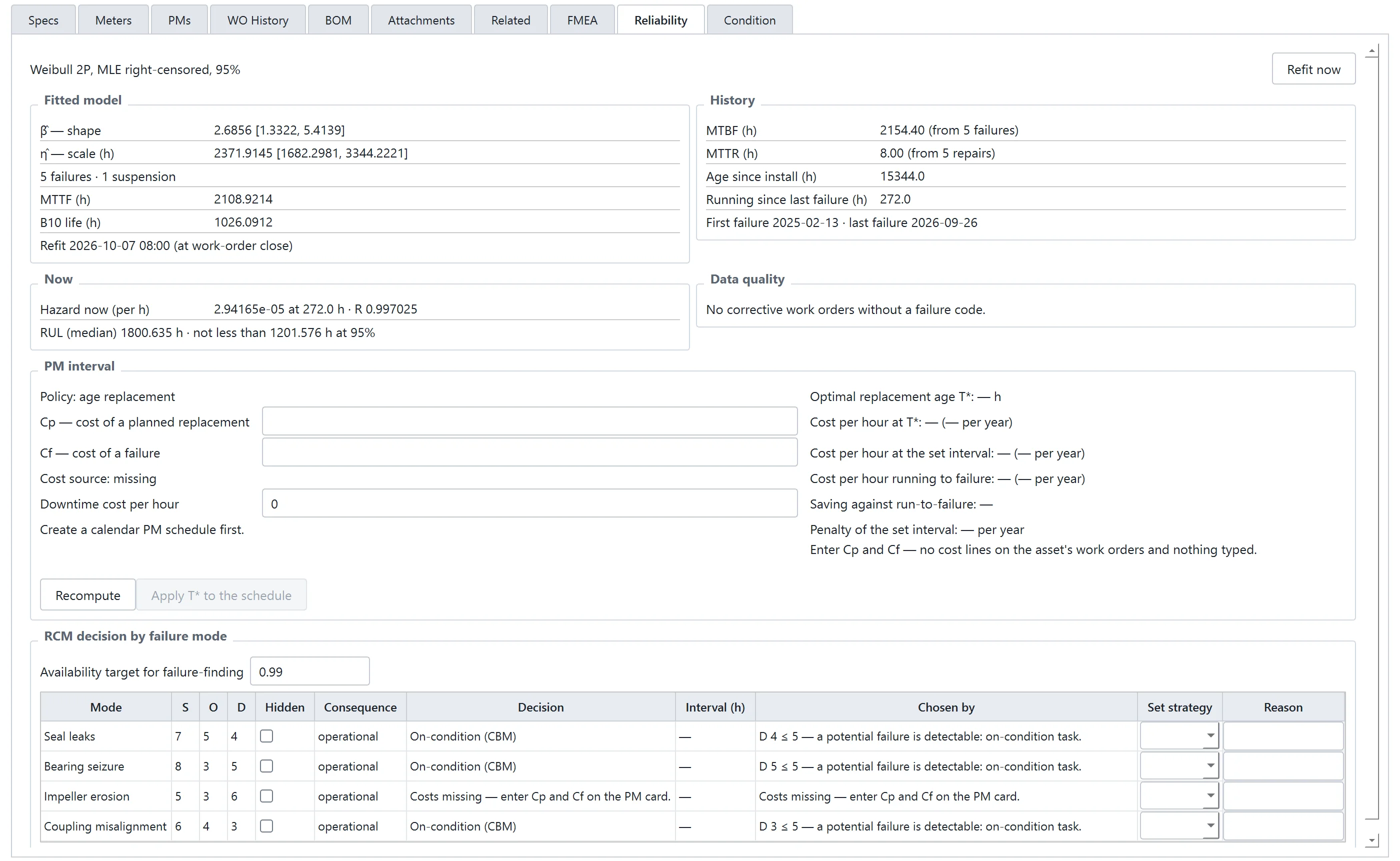
Records → analysis. The CMMS and the analyses use the same file. Every work order is a data point, so you do not export or retype anything. ReliaEn fits a Weibull model to each equipment asset from the corrective work orders of that asset, coded by failure mode. It shows the model on the Reliability tab of the asset.
Results appear beside your own data
Decision → action. ReliaEn calculates the preventive maintenance (PM) interval with the lowest cost and the reorder point for spare parts. It shows each result beside your own value. For every failure mode, it also recommends a reliability-centred maintenance (RCM) strategy.
ReliaEn runs a calculation when you click, and it presents the result as a report. Your PM intervals and stock levels do not change until you apply a result.
Thai or English, on your own computer
The whole line, in one application. One setting switches the whole application between Thai and English. Your data stays on your computer. The licence works offline, and the update check sends no information about you or your plant. AI Support uses a local language model, unless you choose a cloud provider and enter your own key.
Use cases
Each case follows the same line: records, analysis, decision.

Pump fleet: life data from work orders
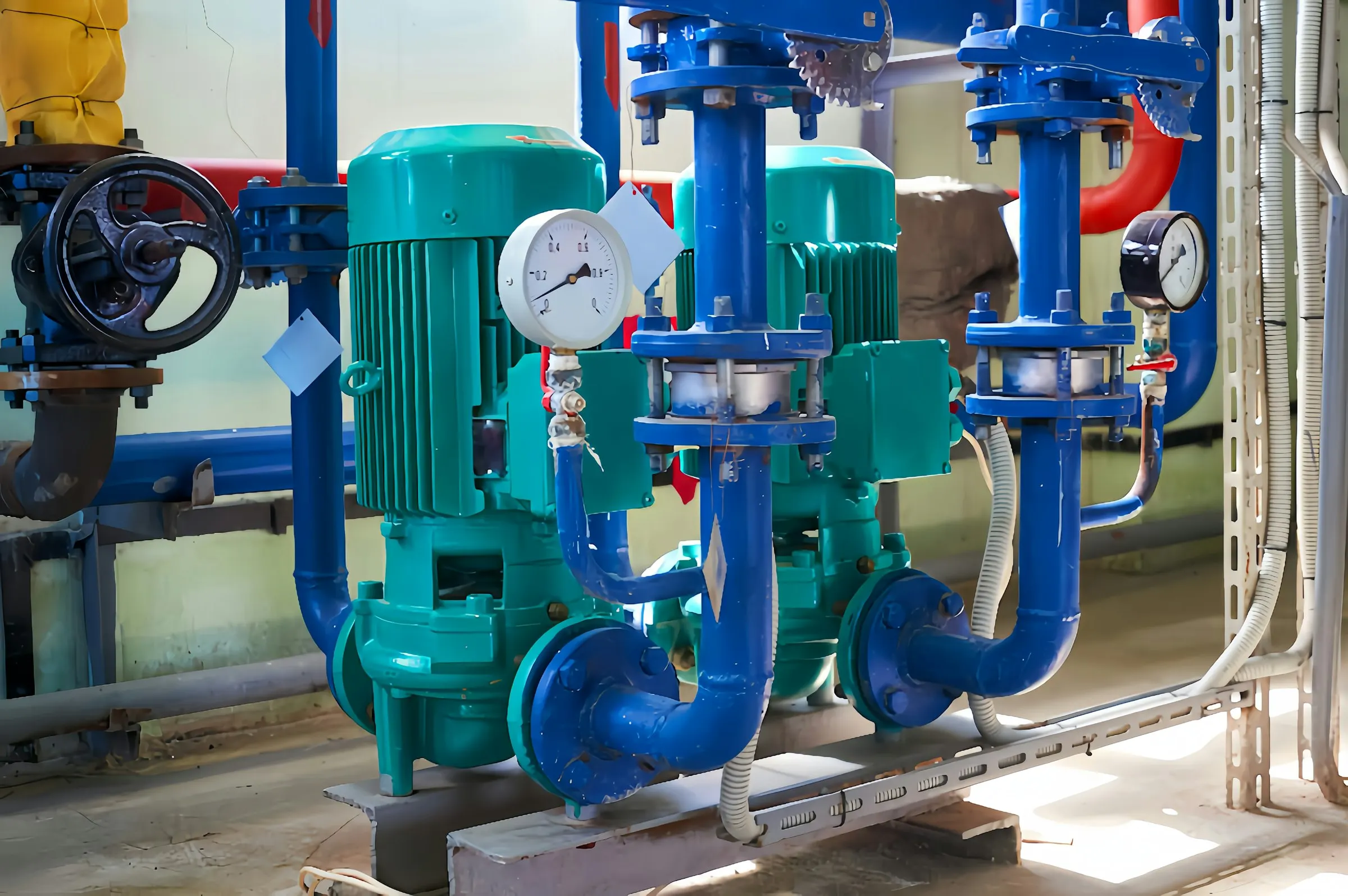
A plant runs a fleet of cooling-water pumps. The CMMS holds the corrective work orders of every pump, each coded by failure mode. ReliaEn fits a Weibull model to the fleet and reports the B10 life, the mean time to failure (MTTF) and the probability plot. The plant then knows how long a pump runs before one in ten has failed.

Compressor: a preventive maintenance interval from costs
A compressor is overhauled at a fixed interval. ReliaEn uses three inputs: the failure history of the compressor, the cost of a planned overhaul and the cost of a breakdown. From them, it calculates the replacement age with the lowest cost per operating hour. The result appears beside the current interval, with the cost per hour of each.
Spare parts: a stock level for a service level
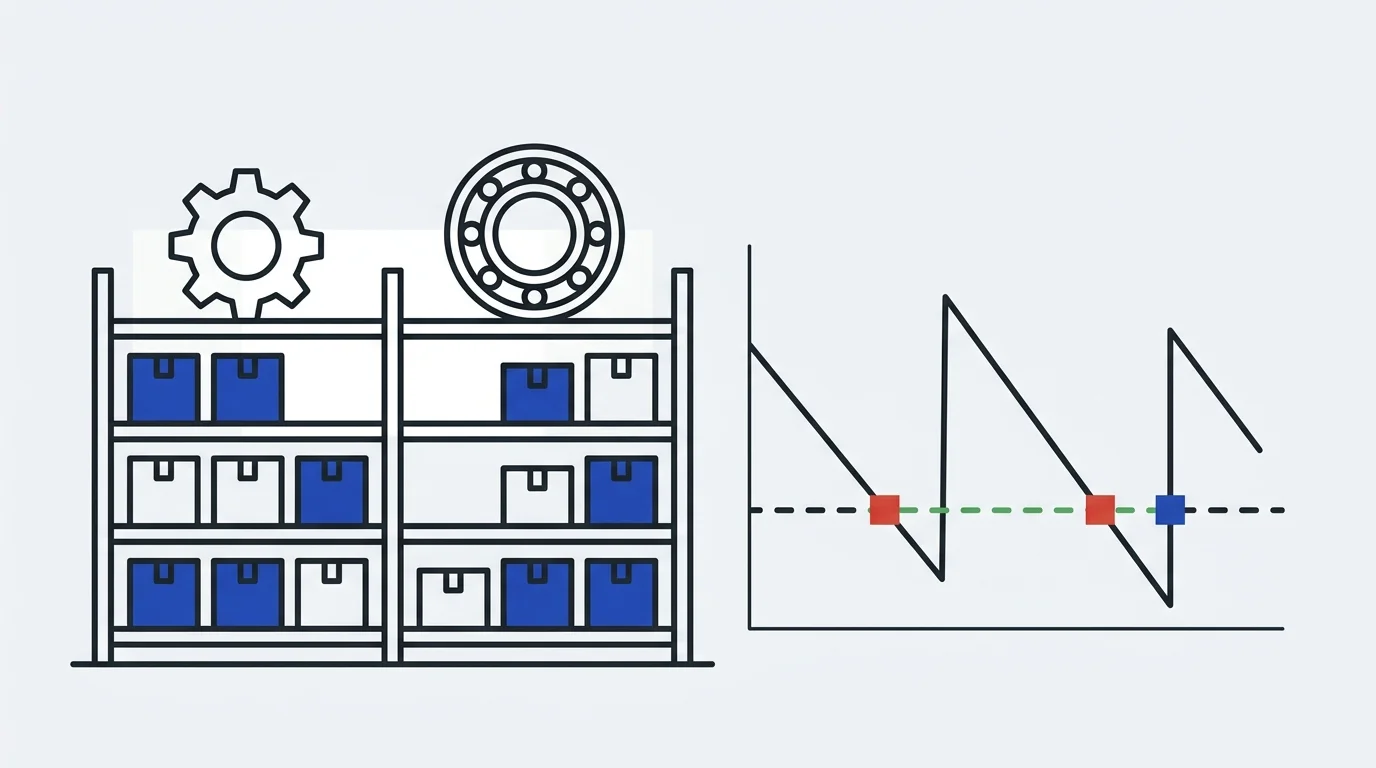
A critical spare part has a long lead time. You set the service level that you need. ReliaEn calculates the reorder point and the maximum stock. It shows the probability of a stock-out beside your current minimum and maximum.
Screens from ReliaEn 1.0.0
What every licence includes
There is one edition of ReliaEn. Every module below is in every licence.
Reliability analysis
- Life data analysisWeibull and six other distributions, with censored and grouped data.
- Accelerated life testing and degradationArrhenius, Eyring and inverse power models; gamma and Wiener degradation processes.
- Repairable systemsThe mean cumulative function, the power-law process and the generalised renewal process (GRP, Kijima virtual age).
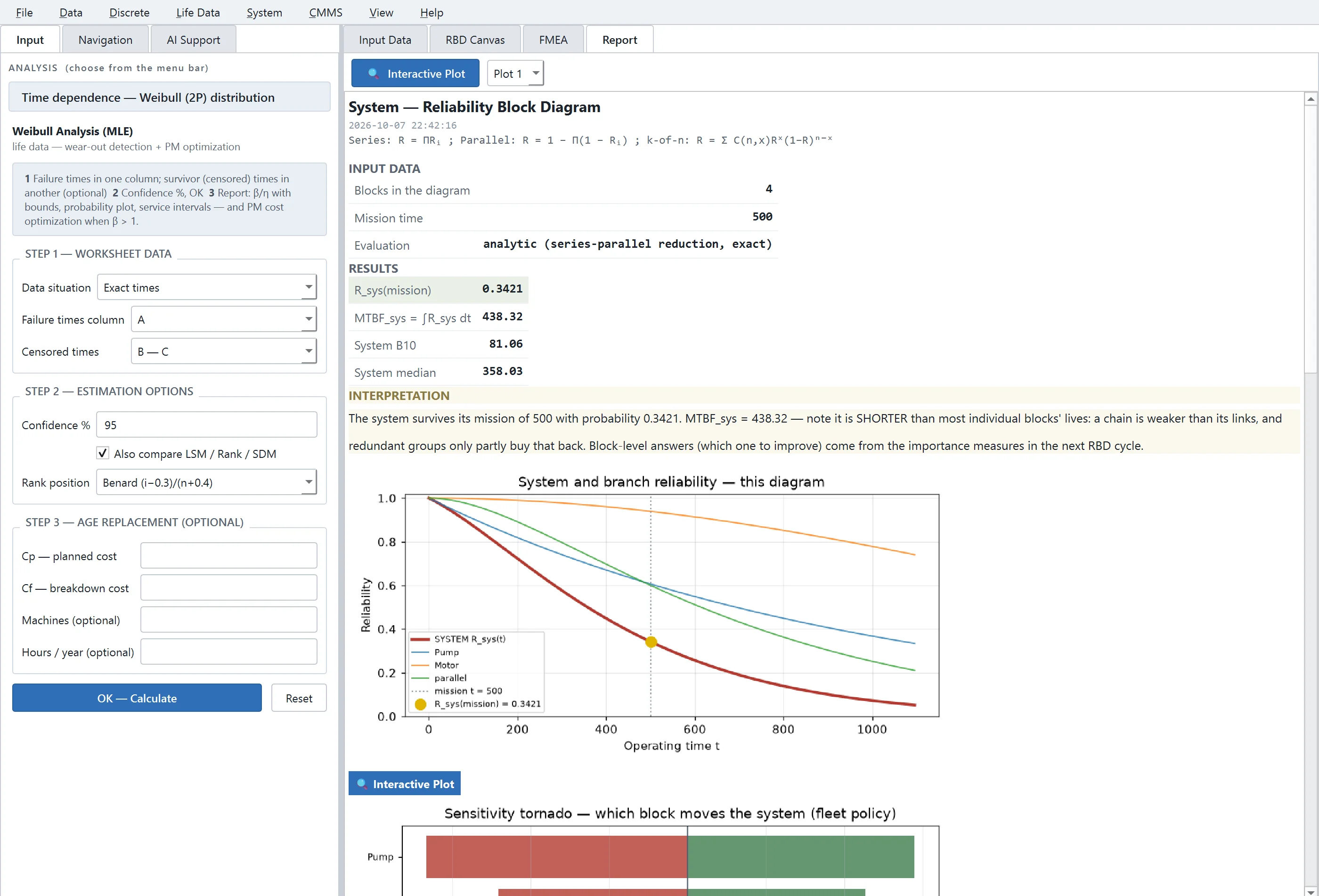
- System modelsReliability block diagrams, RAM simulation, Markov analysis and fault trees.
- Failure mode studiesProcess FMEA, the matrix failure mode, effects and criticality analysis (FMECA) and RCM decisions.
Maintenance management
- Assets and work ordersThe asset register, work orders, preventive maintenance plans, spare parts and failure reporting.
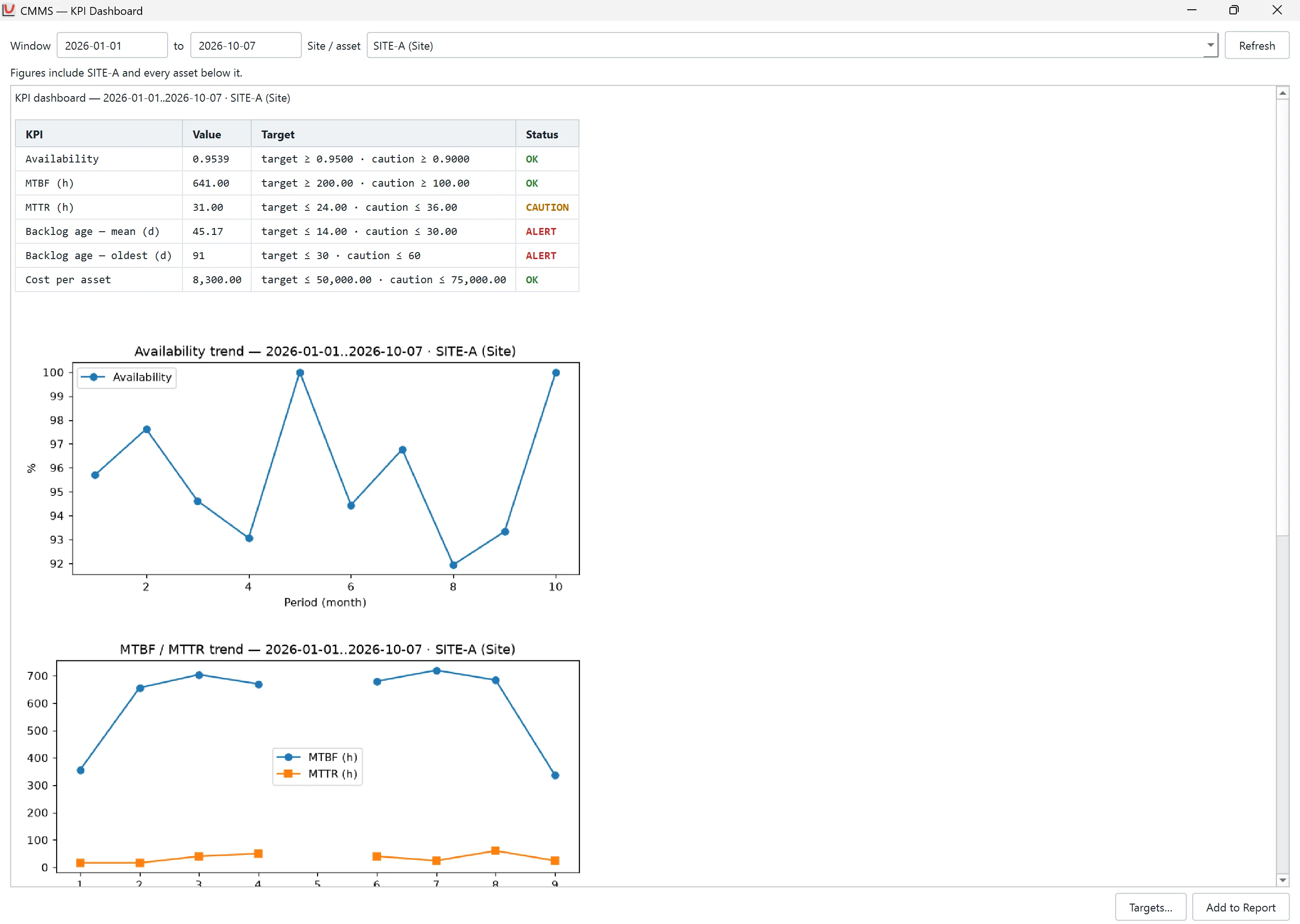
- Key performance indicatorsTargets, caution levels and trends for each site.
- Asset criticality and healthCriticality class A, B or C, a health score, and work orders drafted from risk.
- BridgeImport of the export files of enterprise maintenance systems.
Support and language
- AI SupportA local language model, or a cloud provider with your own application programming interface (API) key.
- Thai and EnglishOne setting switches the whole application between the two languages.
Planned releases
One licence includes every module. The free trial runs for 30 days on one computer and includes every module, so you try the same product that you buy.